Migrate your changes between different DocuWare systems! DocuWare Cloud and on-premise versions are supported and you need only standard DocuWare configuration – no custom requirements.
You can connect to two different DocuWare systems at the same time. We support exported workflow, preconfigured solution files and your mapping proposal can be reused.
Automatically publish copied workflows, create the missing select lists, field mask and roles, check the external select lists for required file cabinets and much more!
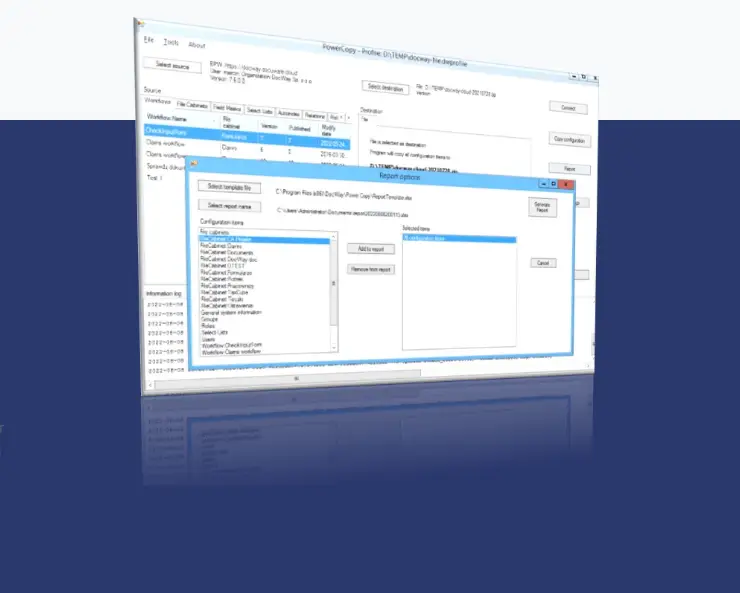
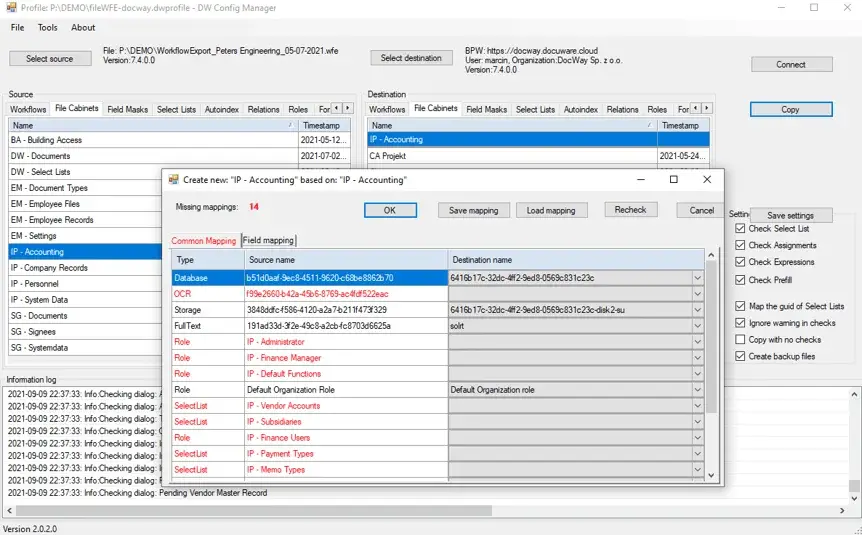
1. Select the source and destination systems
2. Select which item you want to migrate and click Copy button
3. Mapping proposal is prepared
4. Click OK to copy
You have access to more options which makes your work
faster, such as exporting information about users,
connecting with two systems at the same time and more!
Create the technical documentation from your DocuWare
system configuration. Prepare the documentation for users,
roles, groups, index profiles, file cabinets, select lists and workflows.
– up to 5 users
– Licensing for ADP’s
– No restrictions on the number of projects
– once bought, it
can be used wherever you want
– Perpetual license
|
|
Standard DocuWare
|
Power Copy
|
||
|---|---|---|---|---|
|
Export workflows to file
|
||||
|
Read from file
|
||||
|
Export information about users
|
❌
|
✔
|
||
|
Connect with two systems at the same time
|
❌
|
✔
|
||
|
Export file cabinets
|
✔
|
✔
|
||
|
Export other configuration items
|
✔ (as preconfigured solution bundle)
|
✔
|
||
|
Import single workflow
|
||||
|
Mapping the reference to select lists, roles, and other configuration items
|
❌
|
✔
|
||
|
Import single file cabinet, select list, field mask, role, autoindex, document relations, general profile
|
❌*
|
✔
|
||
|
Update existing file cabinet, select list, role, field mask, autoindex, document relation, general profile
|
✔
|
|||
|
Copy reference to select list during import/copy process
|
❌
|
✔
|
||
|
Copy Permissions (reference to users and roles)
|
❌
|
✔
|
||
|
❌
|
✔
|
|||
|
Automatically create the missing select list, field mask, roles
|
❌
|
|||
|
Create the mapping for config items
|
❌
|
✔
|
||
|
Reuse the mapping file
|
✔
|
|||

Ponad 20.000 klientów zaufało DocuWare i zarządza w systemie ECM swoimi dokumentami i procesami. DocuWare wyróżnia się dzięki bezpieczeństwu, skalowalności, uniwersalnej integracji oraz ciągłemu rozwojowi produktu.
ul.Grzybowska 80/82 00-844 Warszawa
Email: firma@docway.pl
NIP: 527-272-87-70
Kapitał zakładowy: 50.000,00 zł
DocWay 2025 © Wszelkie prawa zastrzeżone.